What Is Screenshot Optimization?
Screenshot Optimization is the process of optimizing your mobile app’s screenshots on the App Store and Google Play to quickly communicate the app’s value proposition and support users in making the decision to install.
Screenshots are not only used to showcase the app’s interface. Messaging, visual hierarchy, screenshot order, and directing user attention are also important parts of this optimization process.
If we think of an app store as a physical store, screenshots are your storefront window. A good storefront does more than attract attention; it highlights the right product and quickly communicates what the store has to offer. Screenshots work in a similar way by quickly showing users the value of the app and supporting their decision to install.
Why Is Screenshot Optimization Important?
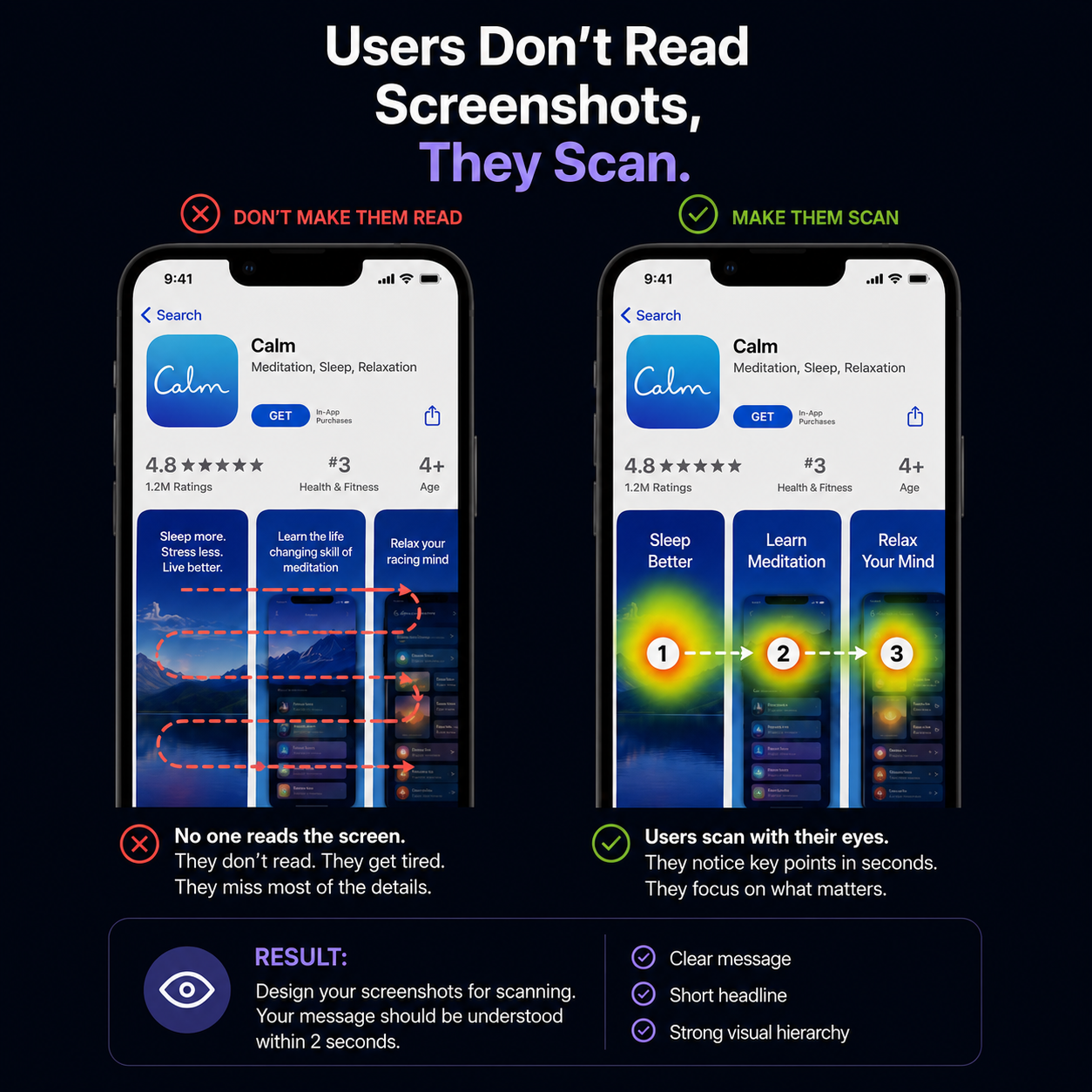
Users can make decisions within seconds when evaluating an app in an app store. Screenshots are one of the most important visual tools for quickly communicating what an app offers and why it may be valuable to the user.
Well-optimized screenshots can make an app’s value proposition easier to understand and support conversion on the store listing.
That’s why screenshot design should consider not only visual appeal, but also where the user’s attention is directed.
What Should You Consider When Creating Screenshots?
Since screenshots are the storefront of your app, looking good is not enough. They should quickly communicate the app’s value and direct the user’s attention to the right areas.
Define the main message: Each screenshot should highlight one key benefit or feature.
Create a clear visual hierarchy: There should be a clear order of importance between the headline, app interface, and other elements.
Keep the copy concise: Users should be able to understand the app’s value without reading long explanations.
Plan the screenshot sequence: Screenshots should be considered together and create a consistent flow that communicates the app.
Reduce unnecessary distractions: Decorative elements or excessive visual details should not compete with the main message.
How Does Appvia Analyze Screenshots?
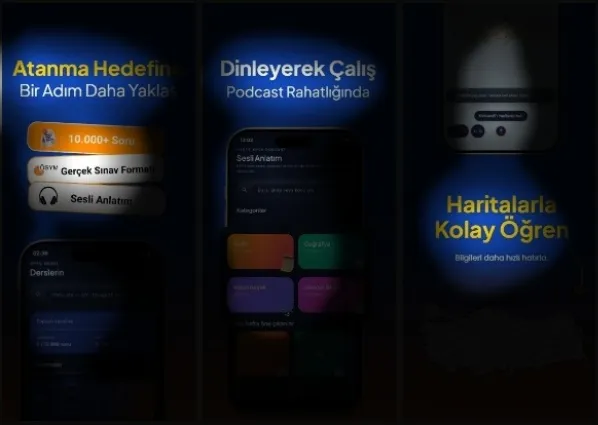
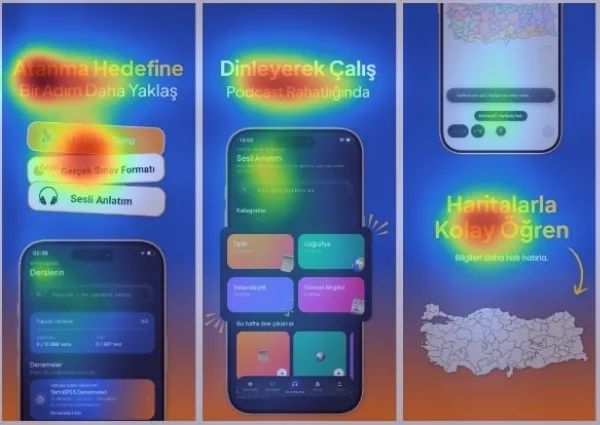
We don’t evaluate screenshots only from a design perspective. We also analyze where the user’s attention is being directed.
First, we identify the areas where we want users to focus. Then, we analyze the design using focus and heatmap analysis.
This allows us to go beyond simply saying, “This area will attract attention,” and evaluate whether the distribution of attention aligns with the message the design is intended to communicate.
Because a good screenshot doesn’t make users look everywhere. It makes them look in the right place.
The Relationship Between Screenshot Optimization and ASO
Screenshot Optimization is an important part of the conversion side of ASO.
While practices such as Keyword Optimization support an app’s visibility for relevant searches, screenshots help users who reach the store listing understand the app’s value.
In short:
Keyword Optimization → Helps users discover your app.
Screenshot Optimization → Helps users understand your app’s value.
That’s why a strong ASO strategy should address both visibility and conversion.
How Is Screenshot Optimization Measured?
Screenshot performance should not be evaluated based only on how the design looks. Where relevant, store conversion rate, product page views, impressions, organic installs, and A/B test results can be evaluated together.
The goal is not simply to attract more attention, but to understand how that attention translates into store conversion.